0705722539 info@ripple.co.ke

ke · Kenya-first · M-Pesa built in
Kenyan business
runs on M-Pesa.
Your invoices should too.
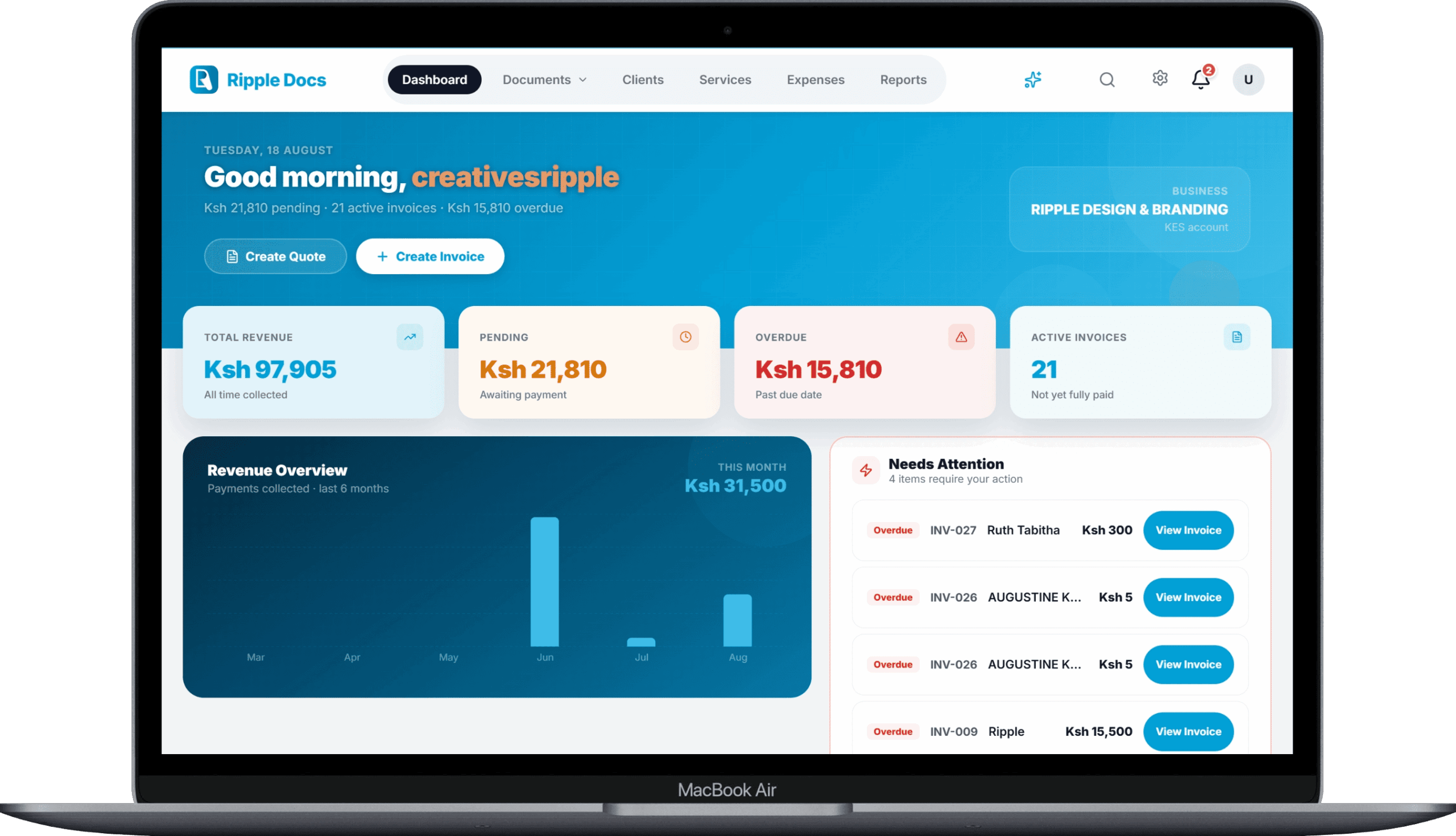
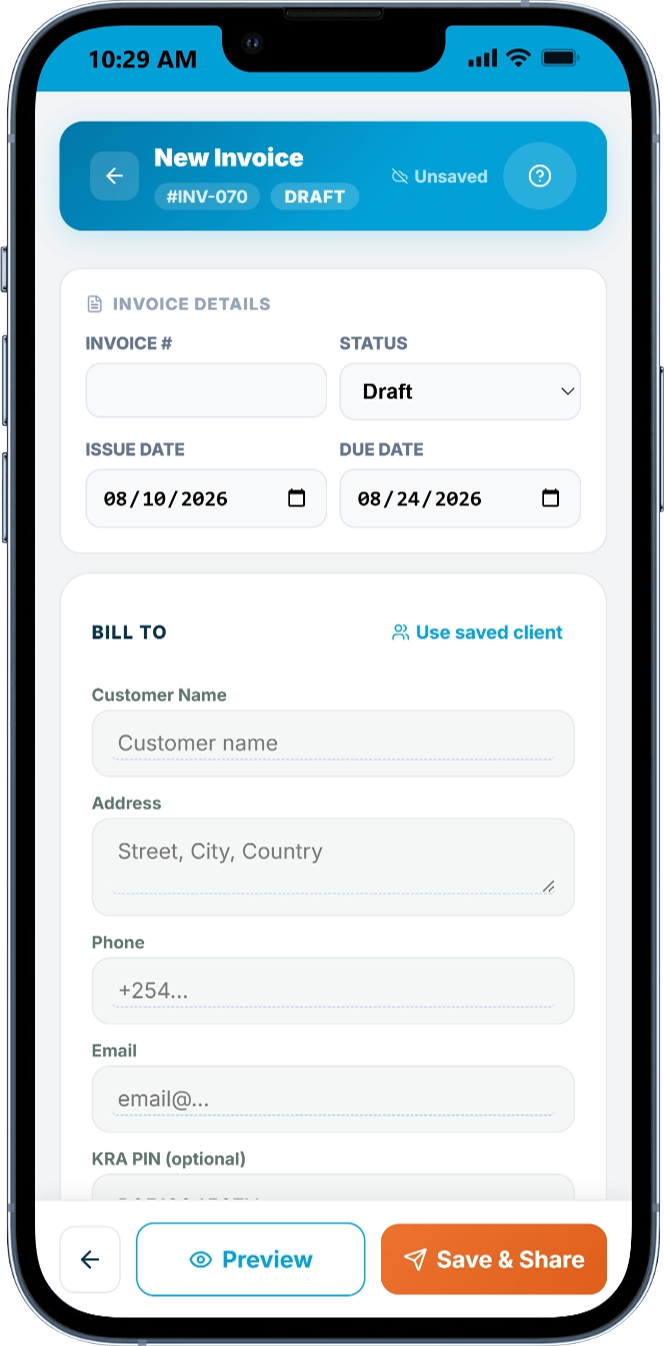
Create professional invoices, quotes, purchase orders, and delivery notes — at your desk or from your phone. M-Pesa STK push built in. KRA PIN on every document.
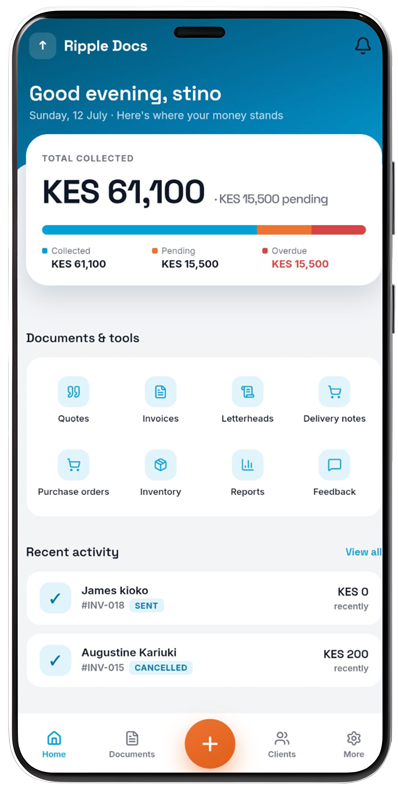
Same app on phone and browser
No card required
5 free documents every month
Real Kenyan business situations
Every document, exactly when you need it
From your first quote to your final delivery note — at your desk or on your phone, all the way to M-Pesa payment.
Client calls
"Tuma quote haraka."
Open Ripple Docs, add your items and logo, send the PDF. A professional quote out of your phone in minutes.
Payment time
"Send me the invoice and I'll pay via M-Pesa."
Send an invoice with an M-Pesa payment link. Client gets a PIN prompt on their phone. You see the payment the moment it lands.
Supplier moment
Corporate client needs a purchase order.
Create a proper PO from your phone. Finance departments process it without question. You get on the approved supplier list.
Professional paperwork
Sometimes getting on the supplier list starts with sending the right document.
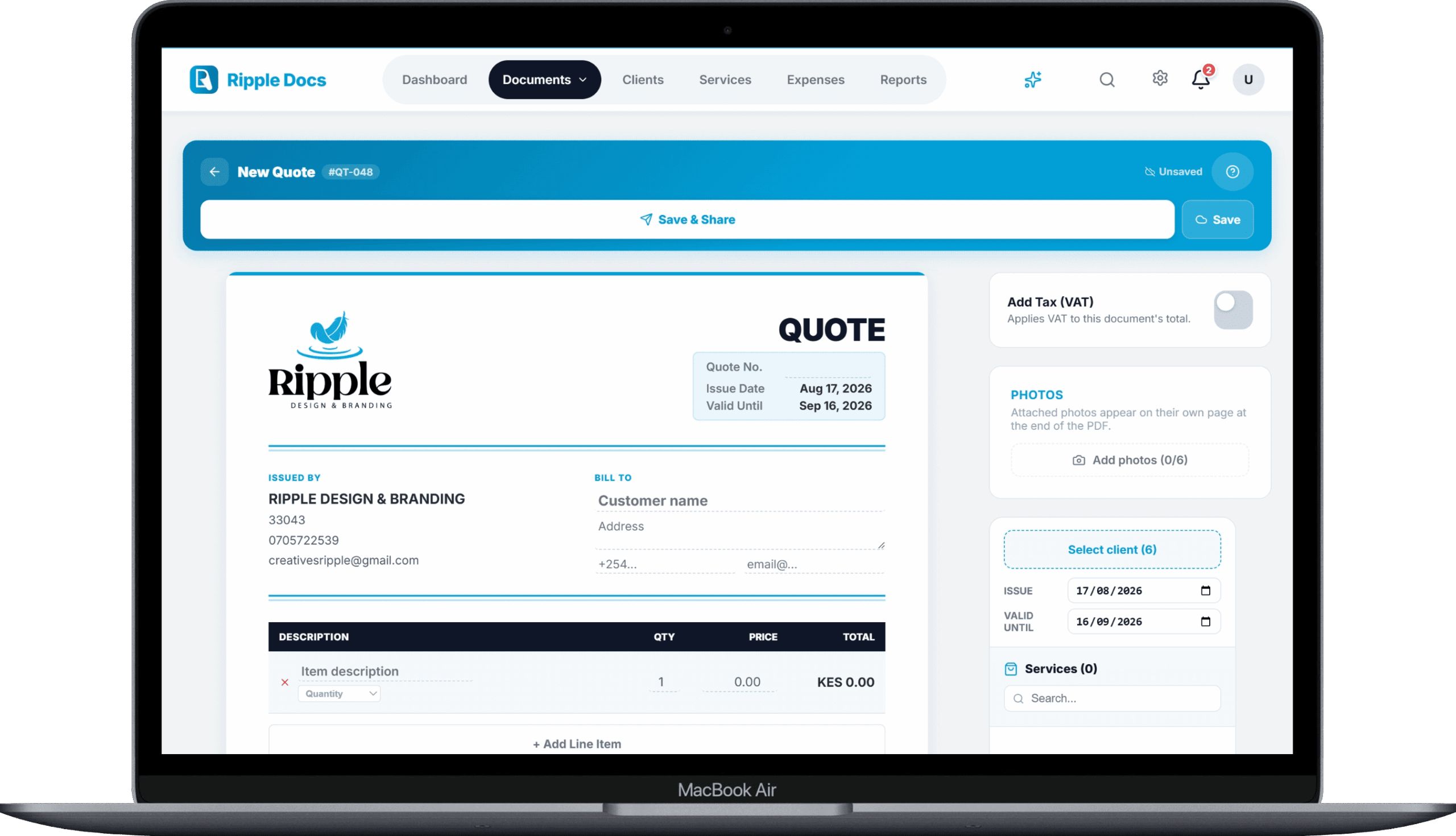
Corporate clients and procurement teams judge you by the paperwork you send. Ripple Docs puts your logo, KRA PIN, and sequential document numbers on every invoice, quote, and PO — automatically.
Your KRA PIN on every documentAdd it once to your profile. It appears on every invoice, quote, and delivery note automatically.
Sequential document numberingINV-001, INV-002 — in order, with no gaps. Required by finance departments for audit trails.
VAT shown correctlyToggle VAT on per document. Rate, amount, and totals display exactly as required.
21 professional templatesDifferent structures — sidebar layouts, dark headers, minimal lines. Not just colour variants.
6
Document types in one app
21
Professional templates
M-Pesa
STK push built in — no third party
KES 0
To create your first document
M-Pesa STK Push
You send the invoice.
Your client pays from their phone.
No bank queues. No account numbers shared over WhatsApp. No waiting. Your client gets a PIN prompt and pays in seconds — you see the payment the moment it lands.
1
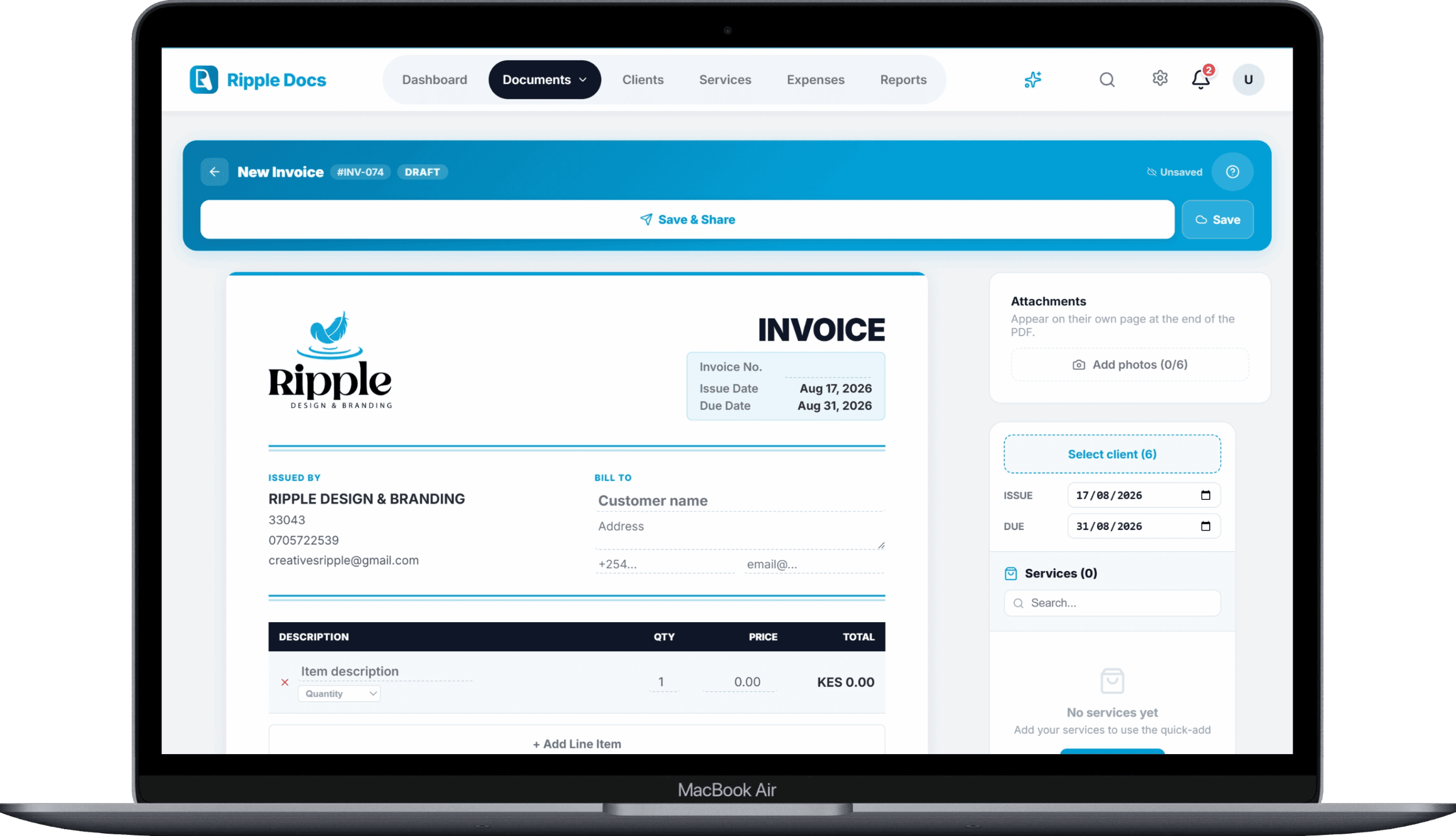
Create the invoice in Ripple DocsAdd line items, M-Pesa Till or Paybill number, your KRA PIN.
2
Send the payment linkVia email, WhatsApp, or SMS — however you communicate with your client.
3
Client enters their M-Pesa PINSTK push appears on their phone. One PIN. Done in under 10 seconds.
4
Payment recorded automaticallyInvoice status updates. Receipt generated. Your records stay clean.
Six document types
Every document your business needs
Invoice, quote, credit note, purchase order, delivery note, and letterhead — on any screen you have with you.
Invoice
Itemised tax invoice with KRA PIN, VAT, sequential numbering, and M-Pesa payment link.
Free + ProQuote
Professional quote sent before work starts. Convert to invoice in one tap when accepted.
Free + ProCredit Note
Issue when a refund is due or a discount applied after invoicing. Keeps your records clean.
Pro onlyPurchase Order
Formalise what you're ordering. Required by most procurement and finance departments.
Pro onlyDelivery Note
Document what you delivered and when. Protects you if a client claims goods weren't received.
Pro onlyLetterhead
Branded headed paper for official correspondence, supplier registration, and formal letters.
All plansHow Kenyan businesses use Ripple Docs
Kenyan businesses running from any screen
★★★★★
"I sent my first invoice from a matatu. Client paid via M-Pesa before I reached the office. That was the moment I knew this was different."
★★★★★
"A corporate client asked for a purchase order before they'd put us on their supplier list. Ripple Docs had us sorted in 10 minutes. We got the contract."
★★★★★
"I run a catering business in Mombasa. My clients get the invoice link on WhatsApp, tap the M-Pesa button, and pay. No chasing. No bank details drama."
Pricing
Start free. Upgrade when you're ready.
No trial periods. No surprises. Free forever — upgrade to unlock more documents and document types.
Free
KES 0/ forever
Invoices and quotes. 5 documents every month.
- 5 documents per month
- Invoices & quotes only
- 2 templates · 1 letterhead
- 3 M-Pesa STK pushes (lifetime)
- Manual payment recording
- "Made with Ripple Docs" on documents
Most popular
Pro
KES 990/ month
or KES 9,900/yr — 2 months free
Unlimited documents. Every document type. 2 seats.
- Unlimited documents · 2 seats
- All 6 document types & 21 templates
- M-Pesa, Stripe, PayPal & bank transfer
- Payment links on every invoice
- Reports, CSV exports & reminders
- No "Ripple Docs" branding on documents
For teams
Business
KES 2,900/ month
or KES 29,000/yr — 2 months free
Everything in Pro. Built for growing teams.
- Everything in Pro
- 6 seats · KES 400 per extra seat
- Team roles & permissions
- Client statements & client ledger
- Priority support
No auto-renewal on M-Pesa. Pay for 30 days or 365 days — access stays active until it expires. PayPal plans renew automatically.
Questions
Common questions about the Ripple Docs invoicing app
Is Ripple Docs really free?
Yes — the Free plan is free forever, not a trial that expires. You get 5 documents every month, invoices and quotes, and 2 templates. No card required. Documents carry a small “Made with Ripple Docs” line until you upgrade.
Can my clients pay by M-Pesa?
Yes. Send an invoice and your client gets an M-Pesa STK push — they enter their PIN and the payment is recorded against that invoice. The Free plan includes 3 STK pushes. Pro adds payment links on every invoice, plus Stripe, PayPal and bank transfer.
Do I need to install an app?
No. Ripple Docs runs in any browser — on a laptop, a tablet or a phone. There is nothing to download and nothing to update, and your documents are the same on every screen you sign in from.
Does Ripple Docs connect to KRA or eTIMS?
Not currently. You can save your KRA PIN in your profile and it appears on every document automatically, but Ripple Docs does not file returns or submit invoices to KRA or eTIMS systems. It produces the paperwork — filing stays with you or your accountant.
What documents can I create?
Six types: invoices, quotes, credit notes, purchase orders, delivery notes and letterheads. The Free plan covers invoices and quotes. Pro unlocks the rest, along with all 21 invoice templates.
Am I locked into a contract?
No. On M-Pesa you pay for 30 or 365 days up front — there is no auto-renewal and nothing to cancel. Your access stays active until it expires. PayPal subscriptions renew automatically until you cancel them from PayPal.
Built by Ripple
Ripple Docs is made by Ripple Design & Branding, a creative studio in Nairobi. We also design logos and brand identities, build websites, and set up AI chatbots and automations that handle the repetitive work. If you need any of that, start a project with us.
Get started
Your office doesn't have to be a desk.
Create your first document free — no card, no setup. Looks professional from the first document you send.
Ripple Docs · Works on phone, tablet and desktop · No app store needed · Kenya-first